 Divine Pulse
Stats and battle replays for Fire Emblem: Three Houses
Divine Pulse reads your army and your battles from the game while you play, and keeps them on your PC.
Free and open source. For Windows 10/11 and the Eden emulator.
Read from the game
Stats, classes and abilities come straight from the game's memory, for every unit at once.
Updates by itself
Start a run and play. The app sits in the tray and keeps the run up to date.
Stays on your PC
No account and no telemetry. The app makes no internet connections of its own.
Follow a battle live, then replay it
During a battle you see the timer, the turn, every unit's HP and an estimate of your chance of winning. Afterwards, replay it step by step on the battle's map, with the full log alongside.


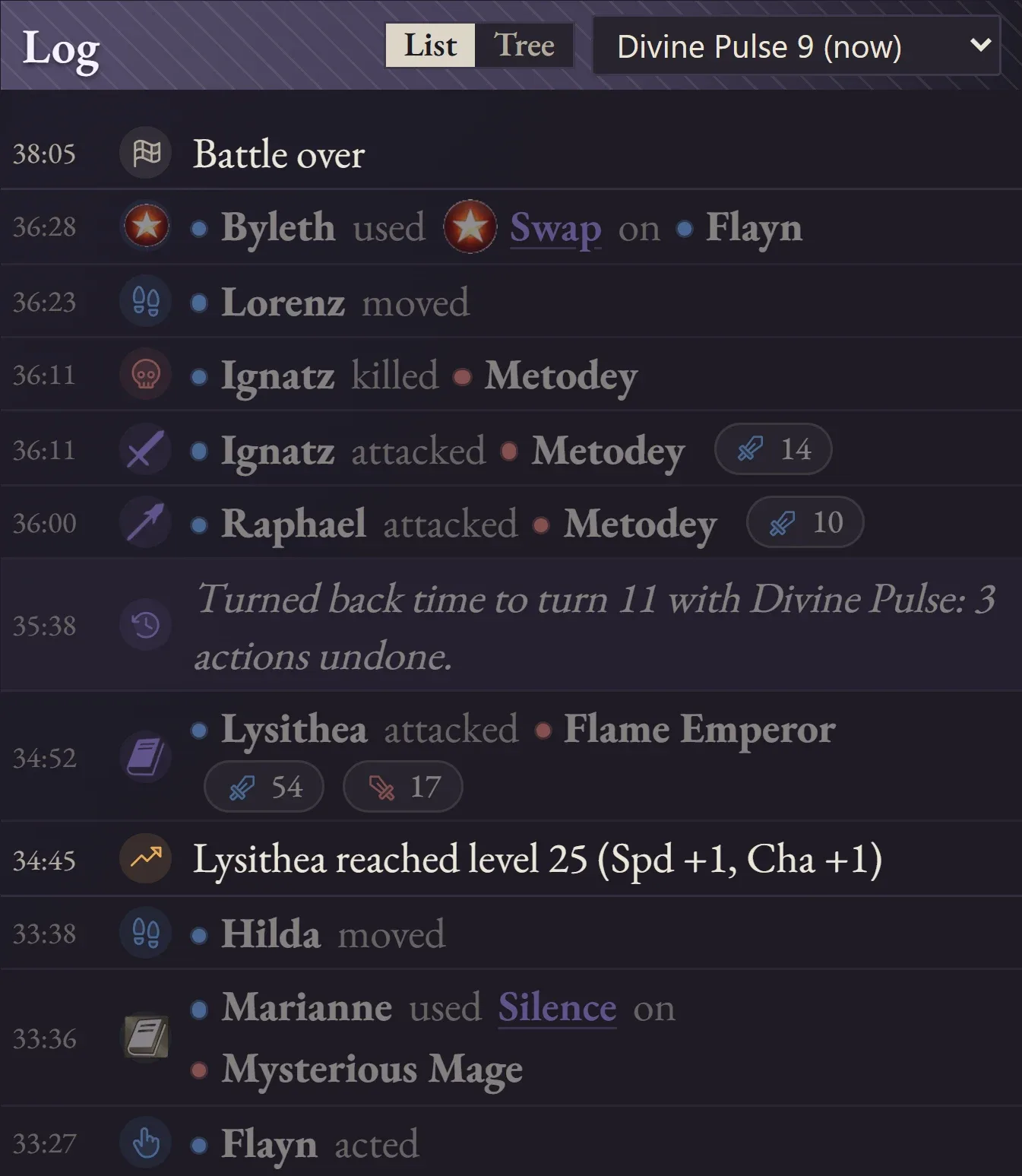
Keep what Divine Pulse undid
When you turn back time, the log keeps the timeline you left behind. Switch between timelines, or see them all as branches in the tree.
Your whole army, always up to date
Every unit is added and updated without opening a menu in the game. Sort by any stat, and compare units by effective base stat total (eBST), with or without ability bonuses.

Every battle, across every run
History adds up a run's battles into totals, records and each character's numbers. Open any battle to see its map, log and replay again. Each playthrough gets its own run.

The game's data, from your own copy
A full reference built from your game files, so it matches your language and DLC and works offline. Spoilers stay hidden until you switch them on.


Get started
What you need
- Windows 10 or 11
- 64-bit.
- The Eden emulator
- Only Eden has been tested.
- Fire Emblem: Three Houses
- With update 1.2.0.
- Your own game files
- A dump of the game, or your NSP files and prod.keys. How to get them. The app includes no game content.
Install
- DownloadThe installer or the portable zip.
- Import your game filesSetup asks for them, and you only do this once.
- Start a run and playYour army shows up once the game is running.
The app isn't code-signed, so Windows SmartScreen may warn you the first time. Choose More info, then Run anyway.
Free and open source
Divine Pulse is licensed under the GPL-3.0. Read the code, report a bug or suggest an idea on GitHub.